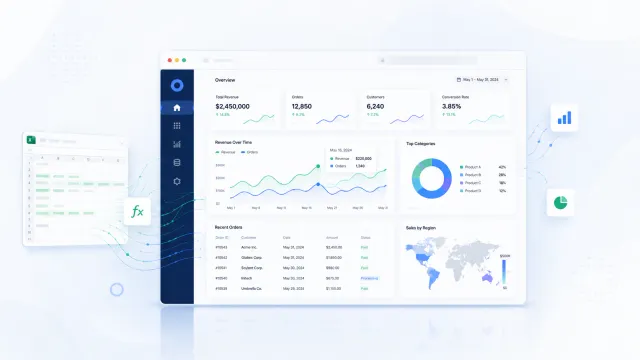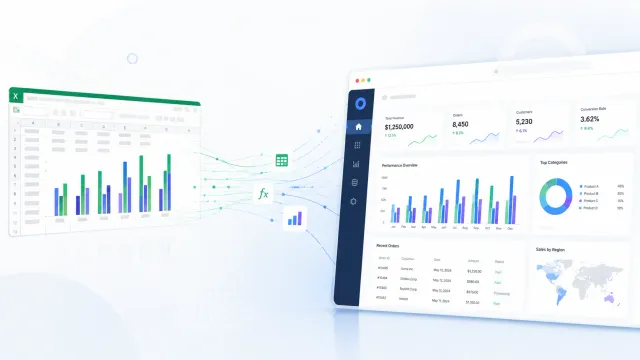

After the Excel file has been analyzed, the next step is architecture. This is where the project moves from understanding the spreadsheet to designing the actual application.
The goal is to preserve the important business logic from Excel while replacing fragile spreadsheet behavior with proper software structure.
That means clear data models, backend services, validation rules, permissions, calculation logic, document handling, exports, and audit history.
Start with the main modules
A web application based on Excel logic usually needs more than one screen. It often needs several connected modules with clear responsibilities.
If the spreadsheet supports invoice or cost allocation, the future system may include document management, supplier and category management, a calculation engine, approvals, exports, reporting, and user access control.
This is one of the biggest differences between Excel and software. In a spreadsheet, everything may live in one file. In an application, the logic should be separated into modules that are easier to maintain and extend.
Design the database around business concepts
The database should not copy Excel sheets directly. Instead, it should be designed around real business entities such as documents, suppliers, cost categories, departments, allocation rules, approvals, exports, users, and audit logs.
That makes the system easier to understand and much easier to report on later.
The same principle applies everywhere. A document should be stored as a document, not as a row that imitates a sheet name or helper area from the spreadsheet.
Separate master data from transactions
One important rule is separating stable reference data from day-to-day business activity.
Master data includes things like cost categories, departments, suppliers, accounting codes, allocation methods, tax rates, and document types. Transactional data includes uploaded invoices, calculations, approvals, exports, status changes, and user actions.
Excel tends to mix these together. A web application should not. Keeping them separate makes change management, permissions, and historical reporting far safer.
Build a dedicated calculation service
The calculation logic should usually live in its own backend service or module. The frontend should collect information and display results, but the business logic itself should be owned by the backend.
A proper calculation service receives structured input, loads the right rules, applies exceptions, calculates the result, and returns structured output such as allocation lines, accounting codes, approval requirements, and warnings.
This is much better than scattering logic across forms, pages, or frontend components. It makes the calculation more secure, testable, and consistent.
Make some business rules configurable
Not every rule should be hardcoded. Some rules change often enough that business users or admins need to update them without waiting for a developer.
That may include cost categories, allocation percentages, department mappings, accounting codes, approval thresholds, or active and inactive statuses.
At the same time, some rules are too sensitive or complex to expose directly in an admin interface. Core financial formulas, security-related rules, and complex exception handling usually belong in controlled backend logic.
A good architecture separates configurable rules from fixed system logic so the client gets flexibility without creating unnecessary risk.
Add validation at multiple levels
Validation is one of the biggest improvements software can bring over Excel. In a spreadsheet, users can often enter almost anything unless the file is heavily protected.
In a web application, validation should exist at multiple levels. The frontend helps users fix mistakes quickly. The backend protects the process and never trusts user input blindly. The database enforces structural integrity through constraints and relationships.
That layered approach is what makes the process reliable, especially when the output affects finance, reporting, or approvals.
Track statuses and workflow properly
Excel often uses colors, comments, or manual notes to show progress. A web application should use real statuses with clear meaning.
A document may move through stages such as draft, submitted, needs review, returned for correction, approved, exported, archived, or cancelled. Just as important, the application should control which transitions are allowed.
This prevents users from skipping important steps and makes reporting much more useful for management.
Add permissions and roles
Permissions are another major improvement over spreadsheets. In Excel, access is often all or nothing. In an application, responsibilities can be much more precise.
Regular users may create documents, finance users may review calculations, managers may approve records, administrators may manage rules, and auditors may view history without editing anything.
The goal is to protect the process without creating an overly complex role model that nobody understands.
Store calculation results, not just inputs
A common architecture question is whether calculation results should be stored or recalculated every time. In many business systems, especially those tied to finance or approvals, the safer answer is to store the result.
If a document was calculated and approved in March, the system should preserve the result from March even if the rules change in June.
That means storing the inputs used, the final result, the rule version, the timestamp, the triggering user, and any warnings or exceptions.
This creates reliable history and makes audits or troubleshooting far easier.
Handle documents as first-class records
If the application replaces an Excel-based document process, file handling is not a minor feature. Uploaded files need to be stored safely, linked correctly, and protected by access rules.
The system may need PDF uploads, image uploads, preview support, versioning rules, download permissions, and clear metadata such as filename, type, size, upload date, uploader, storage path, and linked record.
The database should store the metadata while the files themselves live in appropriate server or object storage.
Generate outputs the business actually needs
The application should produce the outputs the business uses in real life, whether that means PDF summaries, CSV exports, Excel exports, accounting instructions, management dashboards, or API payloads for another system.
Replacing Excel as the main workflow does not mean Excel disappears completely. In many cases, clean export support remains useful for reporting or collaboration with outside parties.
The important point is that exports should come from a reliable system, not from manual spreadsheet assembly.
Add audit history from the start
For important business processes, audit history should be built in from the beginning. The system should show who created a record, who changed an amount, who recalculated a result, who approved it, who exported it, and when the record was archived.
This is difficult to manage properly in Excel. In an application, it becomes a natural part of the workflow and a major source of trust.
Test the architecture against the original spreadsheet
Before go-live, the new system should be tested against real examples from the old Excel process. Inputs, intermediate values, final allocations, approval requirements, and outputs should be compared carefully.
If something differs, the difference needs to be explained. Sometimes the new system reveals an error in the old spreadsheet. Sometimes it exposes hidden manual logic that was never documented. Sometimes the new rule is intentionally improved.
What matters is that the differences are known and agreed, not discovered by surprise after launch.
Deployment and maintenance still matter
Once the application is built, it becomes part of daily operations. That means deployment and maintenance need to be treated seriously.
A production setup should include HTTPS, backups for both the database and uploaded files, monitoring, error logging, environment management, update procedures, and a rollback plan.
A business workflow system is not a one-time build. It needs ongoing care because it becomes part of how the company works every day.
Closing thought
Good architecture is what turns Excel logic into software that can actually be trusted. It keeps the rules that matter while removing the fragility that made the spreadsheet risky in the first place.
When this step is done well, the result is not just a digital copy of the old file. It is a maintainable application that supports real users, real decisions, and real business growth.